

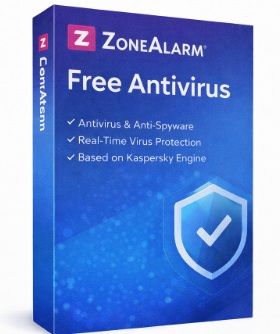
ZoneAlarm Antivirus – analysis, features, strengths, and limitations
ZoneAlarm is a long-standing name in consumer cybersecurity, historically recognized for its software firewall, one of the first to gain widespread adoption among home users. Today, ZoneAlarm operates under Check Point Software Technologies, a major enterprise-grade cybersecurity company, and leverages technologies derived from professional security environments.
The current product lineup includes ZoneAlarm Free Antivirus + Firewall and paid solutions such as ZoneAlarm Pro Antivirus + Firewall and ZoneAlarm Extreme Security, primarily designed for Windows systems.

General overview
ZoneAlarm Antivirus follows a security approach that places network protection and traffic control at the core of its design. Unlike many modern antivirus products that emphasize automated malware detection above all else, ZoneAlarm continues to treat the two-way firewall as a central component of its protection model.
This makes ZoneAlarm particularly appealing to users who want greater visibility and control over network communications, in addition to standard antivirus protection.
Protection technologies
ZoneAlarm relies on a multi-layered security architecture that combines:
A traditional antivirus engine using signatures and behavioral analysis
Cloud-assisted threat intelligence based on Check Point technologies
A bidirectional firewall with application-level traffic control
This combination enables the software to block not only classic malware, but also network-based attacks, unauthorized outbound connections, and suspicious application behavior.
Core features
Antivirus protection
ZoneAlarm provides real-time protection against viruses, malware, spyware, and ransomware, with automatic background monitoring and on-demand system scans.
Advanced firewall
The firewall remains the defining feature of ZoneAlarm:
Control over inbound and outbound traffic
Application-level permission management
Protection on both public and private Wi-Fi networks
This level of control is especially valued by users who want to understand and manage how applications communicate over the network.
Web security
Higher-tier versions include protection against malicious websites and phishing attempts, helping reduce risks during everyday browsing and online transactions.
Identity and data protection (premium plans)
More advanced editions add features such as:
Protection of personal data
Safeguards against information theft
Enhanced security for online shopping and payments
Strengths
High-quality firewall
ZoneAlarm’s firewall is often regarded as one of the strongest in the consumer market, frequently exceeding the capabilities of firewalls bundled with many antivirus suites.
Strong network control
The product is well suited for users who want granular control over network activity, rather than a fully automated “black box” approach.
Enterprise-grade technology
Being part of Check Point allows ZoneAlarm to benefit from mature, enterprise-proven security technologies.
Free version with full firewall
The availability of a fully functional firewall in the free version remains a key differentiator compared to many competing free antivirus products.
Limitations and concerns
Less modern user interface
While functional, the interface appears less modern and less streamlined than those of newer consumer antivirus solutions, particularly for beginners.
Antivirus engine not always market-leading
Although reliable, the malware detection engine does not consistently match the top-tier detection rates of leading antivirus vendors.
Windows-focused ecosystem
ZoneAlarm is primarily designed for Windows, with limited or no support for other platforms.
Frequent alerts for inexperienced users
The firewall’s detailed control can generate numerous prompts and alerts, which may overwhelm users with limited technical knowledge.
Overall assessment
ZoneAlarm Antivirus is a distinctive and well-defined security solution, best suited for users who place a high priority on network security and firewall control, alongside standard antivirus protection. Its approach favors transparency and control over full automation.
It may not be the ideal choice for users seeking a minimal, hands-off antivirus experience, but it remains a strong option for those who value visibility into network activity and robust firewall defenses.
Well suited for:
Windows users focused on network security
Users who want an advanced firewall
Intermediate users comfortable managing security prompts
Less suited for: