



Natural Graphics Mod & Filter by Chris Kennedy is an application (Mod) that improves the graphic appearance of:
- cars
- tracks
- weather situations
adding more realism.
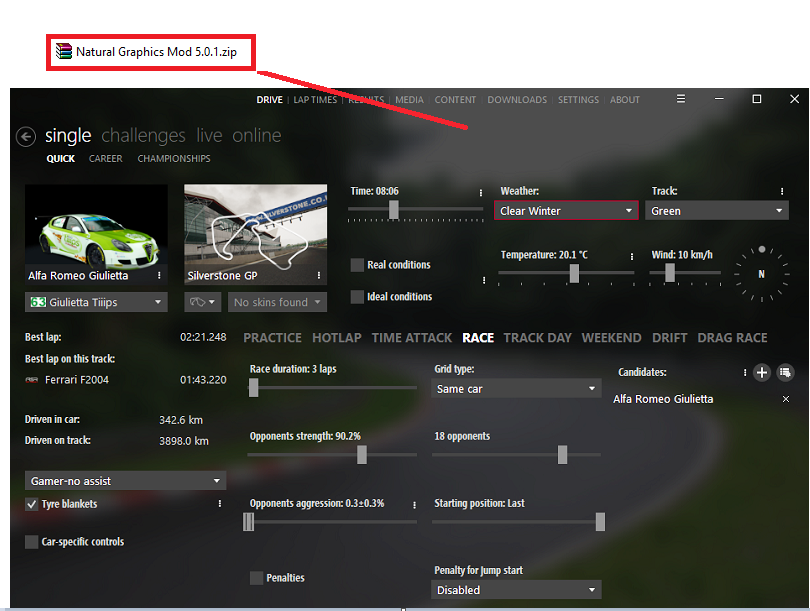
This mod can be downloaded for free HERE , it weighs only 2.840 Kb and is easily installed with a drag&drop in this page of Content Manager.
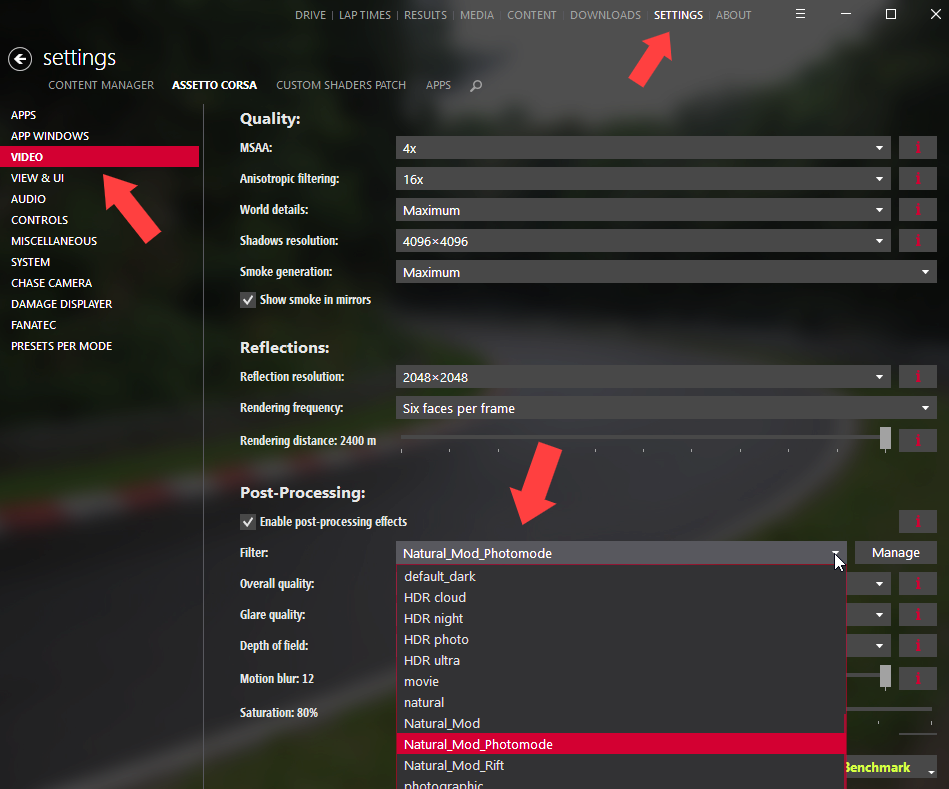
In order to apply these changes to Assetto corsa, after installing this Mod, just go to Content Manager on this page, select "SETTINGS" and, in the menu on the left "VIDEO". Scroll down the page with the mouse until you find "Post-processing". If the box is not enabled, click on it to enable it.
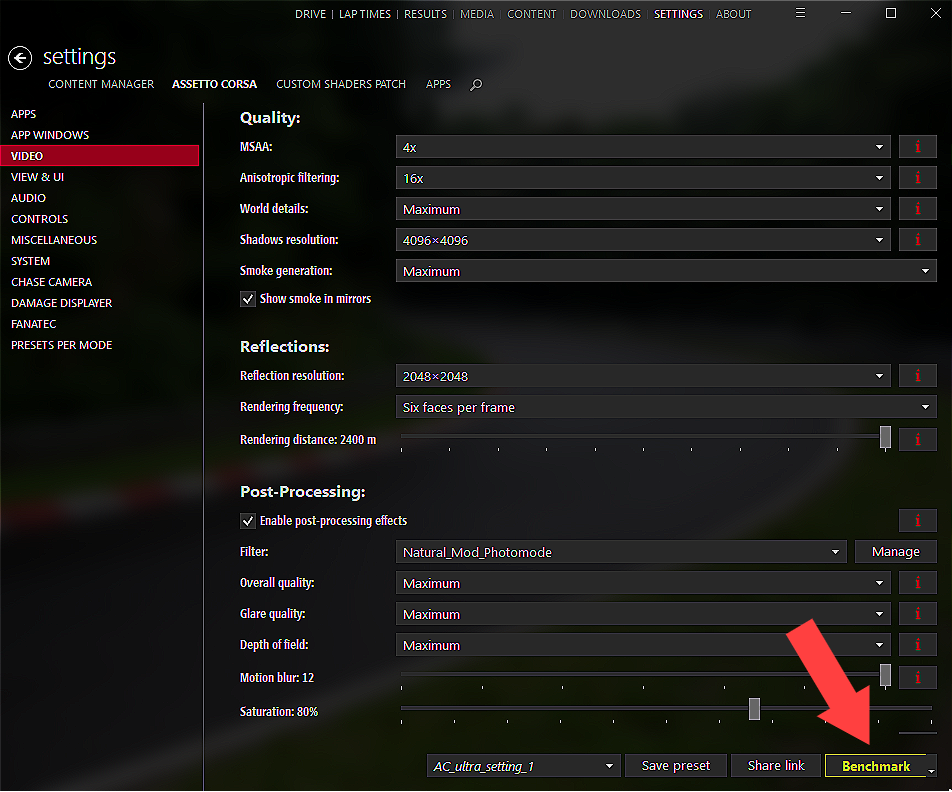
Content Manager offers the option to instantly test the changes with the "Benchmark" button at the bottom right of its page.
The absolute best effects, in my opinion are:
N.1 Natural_Mod_Photomode di Natural Graphics Mod & Filter

N.2 HDR natural
N.3 HDR photographic

N.4 HDR Natural_Mod

N.5 HDR default
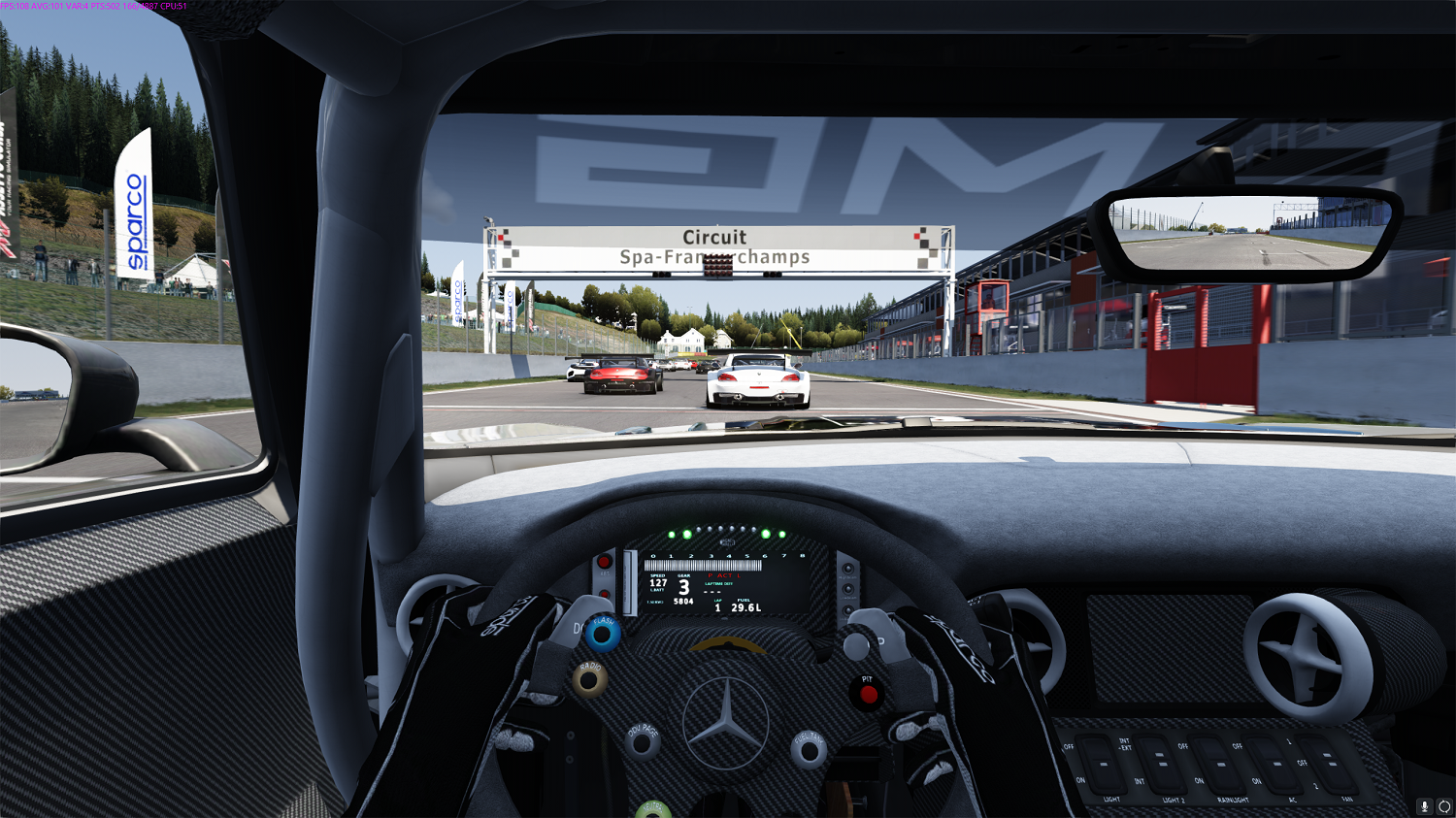
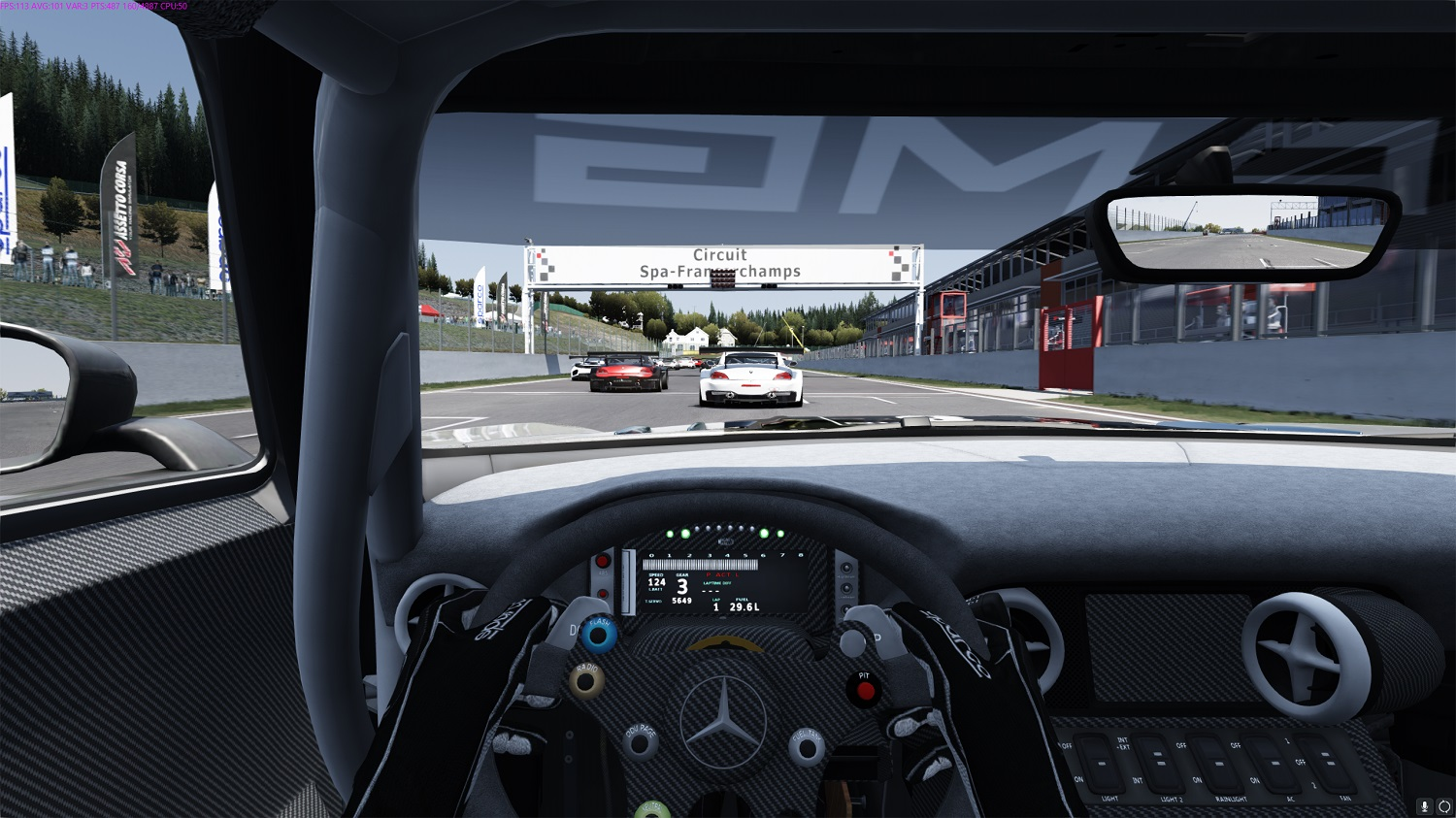
As you can see, even if these images do not have the definition of your monitor, the differences are evident, especially in the sharpness.
In addition to the top 5, there are still many other effects, some of them exaggerated, but I show you all of them.
Assetto corsa with the box "Enable post-processing effects" disabled.

default

Alpen Ultra

b&w

blue_steel

default_bright

default_dark

HDR cloud
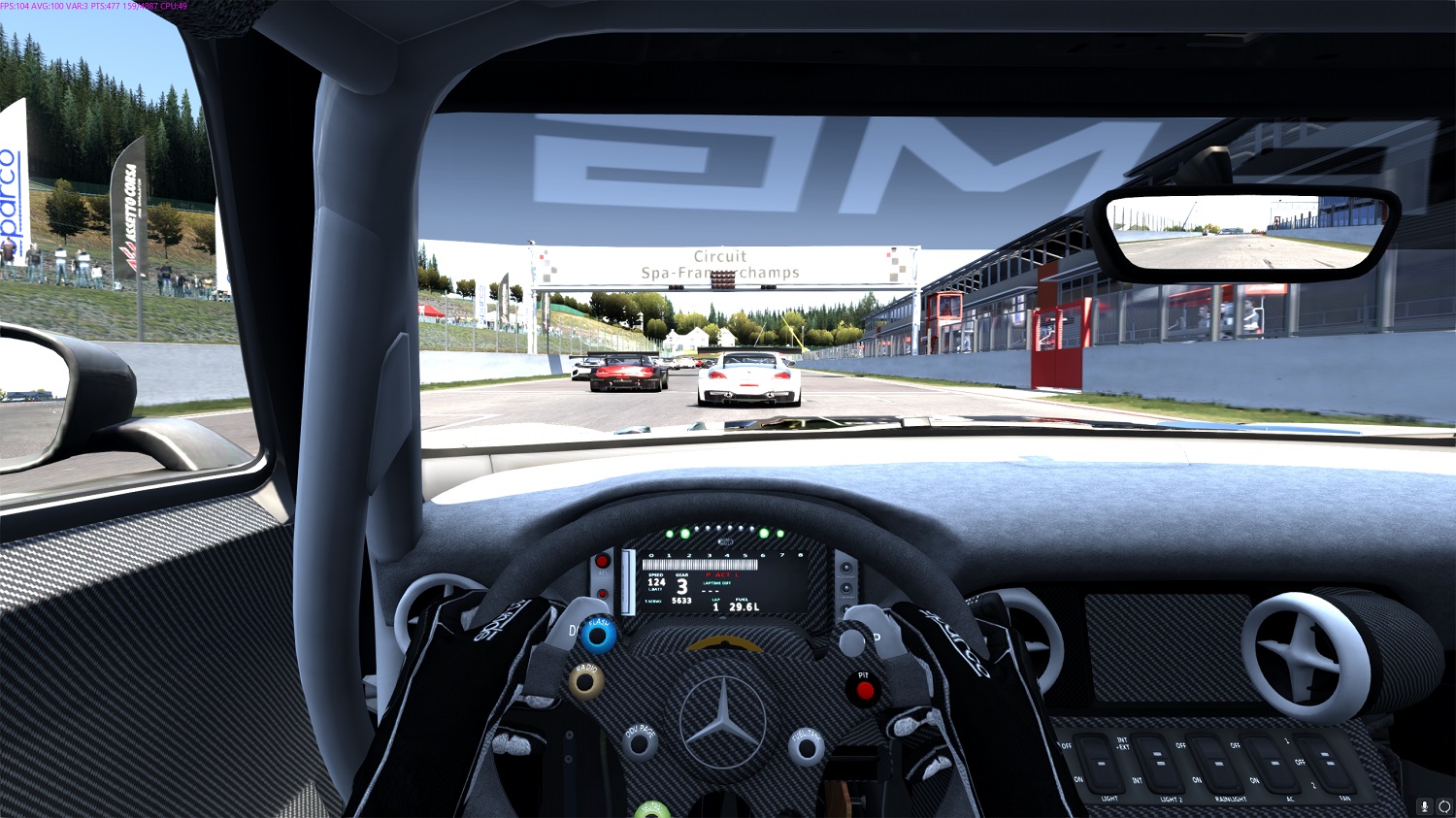
HDR night is an effect that obviously has its best results in the dark. During the day it is overexposed.

HDR photo

HDR Ultra

HDR Movie

HDR Sepia

HDR Vintage

HDR Warm clear

HDR Warm cloud

HDR Warm night

HDR Warm photo

HDR Warm Ultra

HDR Xsedgraf clear
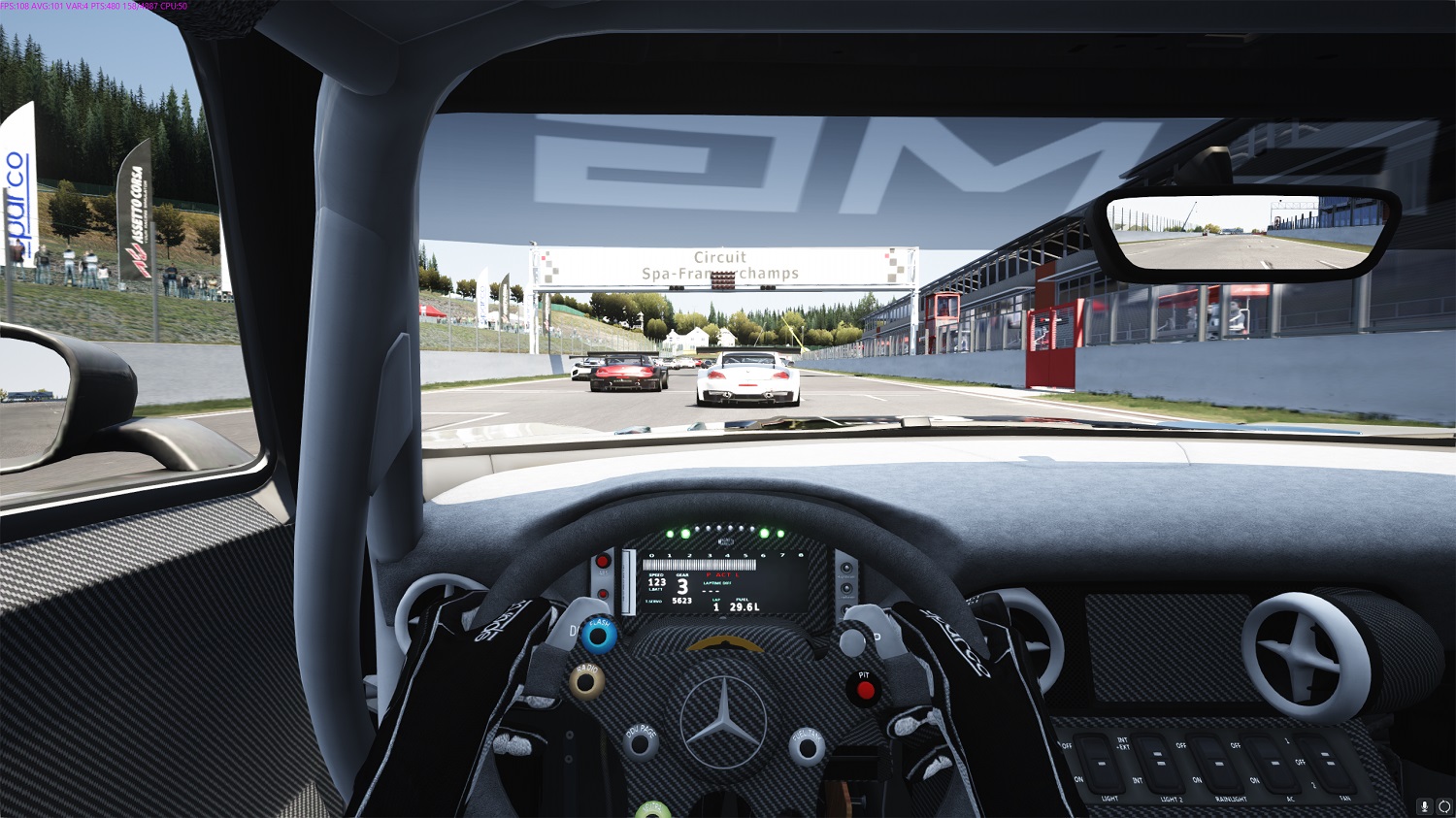
HDR Xsedgraf cloud

HDR Natural_Mod_Rift

HDR Natural_Mod_Photomode

So, great Mod, you're spoiled for choice in terms of effects.

